
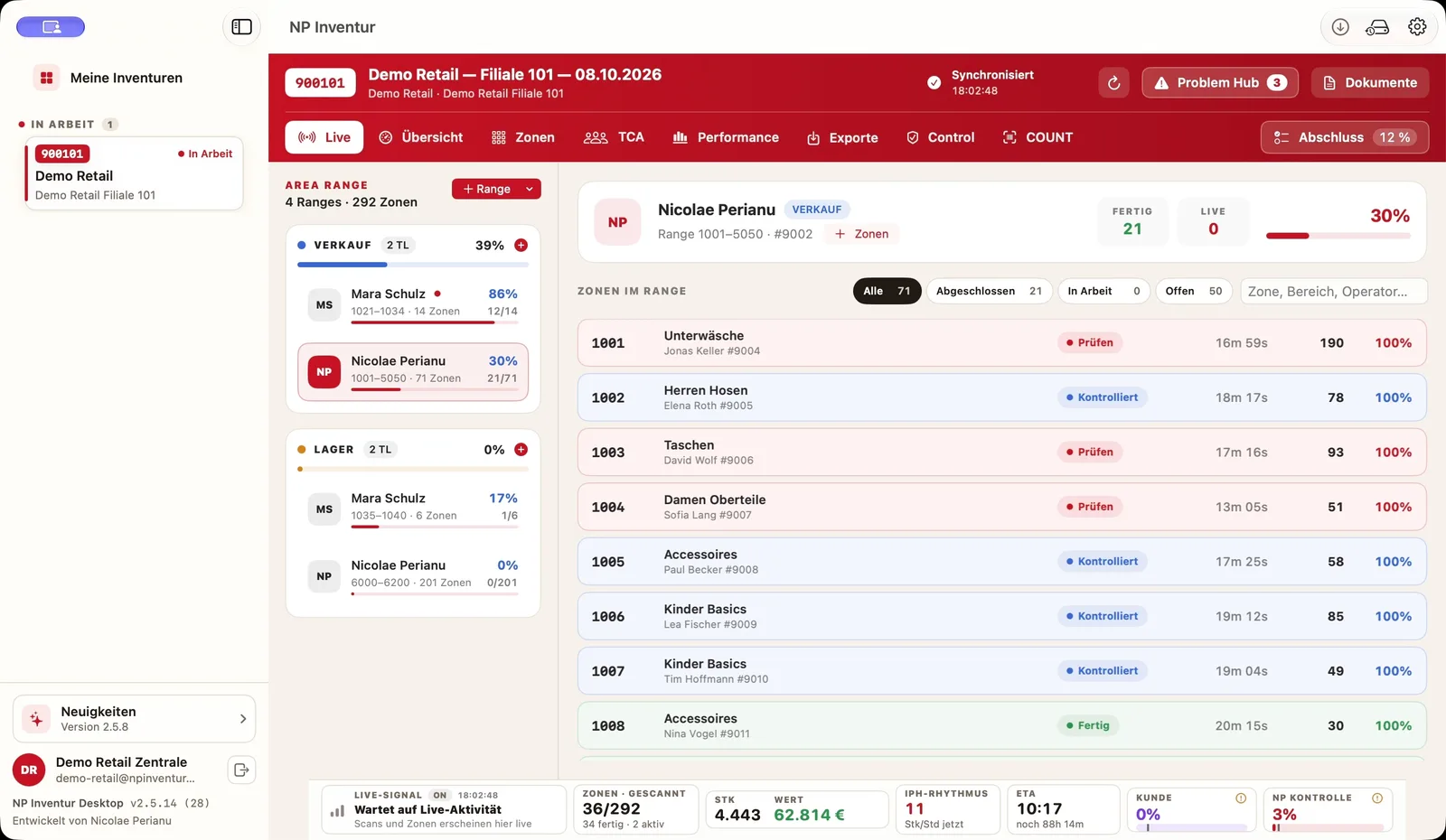
A complete zone plan
Every area and every shelf belongs to exactly one zone. Whatever is not assigned to a zone is missing from the stock at the end.
In a year-end (reporting-date) stocktake, the entire stock is physically counted for one reporting date. In retail that means many items, little time and often a closed store. How the process works – and where software helps.
Businesses have to record their assets – including their stock – in an inventory at regular intervals. In a reporting-date stocktake (German: Stichtagsinventur) this is done by a physical count – counting, measuring, weighing – for a reporting date, usually the end of the financial year. In Germany, a count within ten days before or after the reporting date is generally accepted as timely (R 5.3 EStR).
In retail the year-end stocktake is especially demanding: thousands of items on the sales floor and in the stockroom, teams of own staff or a stocktaking service provider, and a tight time window. Good preparation, a complete zone plan and capture that never counts twice or loses data are what matter.
Note: this page explains the practical process and is not tax advice.
Every area and every shelf belongs to exactly one zone. Whatever is not assigned to a zone is missing from the stock at the end.
The item catalogue from the merchandise system is imported in advance so every barcode is matched to an item when scanned.
Scanners that keep counting offline and give every capture a unique ID prevent double counts and data loss.
The inventory lead sees which zones are open, in progress or done, and can move teams where they are needed.
Samples and recounts – internal and by the client – make the result reliable and traceable.
Resolve differences, export the result and import it into the merchandise system – in the format it expects.
In a reporting-date stocktake the whole stock is counted for one date. In perpetual inventory the stock is updated continuously and checked across the year.
It refers to the balance-sheet date. In Germany a count within ten days before or after that date is generally accepted as timely (R 5.3 EStR). Ask your tax adviser for your case.
With a complete zone plan and capture that marks every count uniquely. In NP Inventur every capture carries a unique ID.
Yes. The scanners keep counting offline; optionally, scans run through the inventory lead’s laptop on the local Wi-Fi.
Both work. NP Inventur is used by service providers and by retailers with their own teams – the software is the same.