Stocktaking software for service providers and retail

Your stocktakes. Your teams. One software.

NP Inventur is the software for companies that carry out stocktakes – stocktaking service providers, partners and retailers with their own team. Planning, counting, checks and handover in one system instead of lists and legacy software.

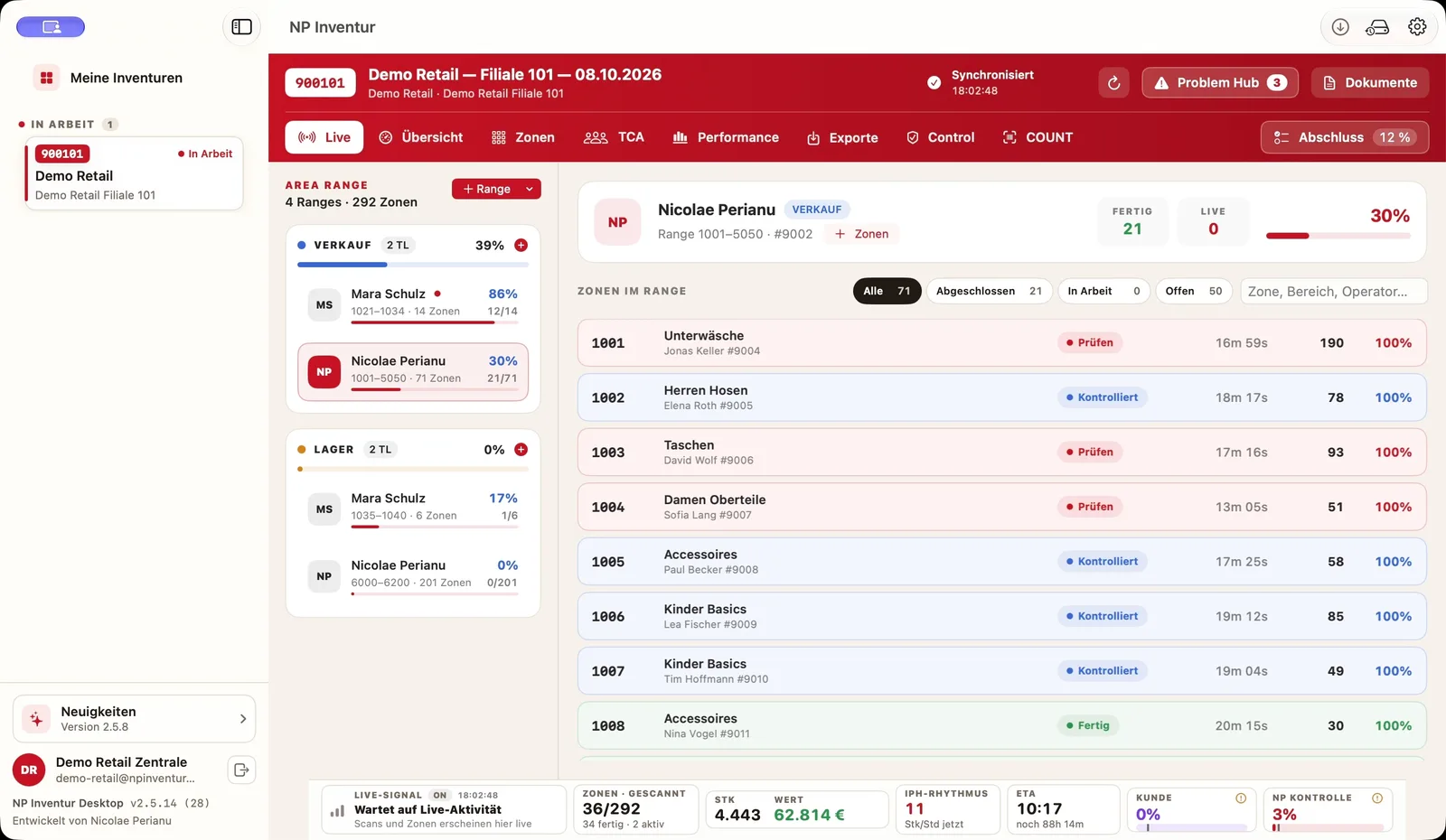
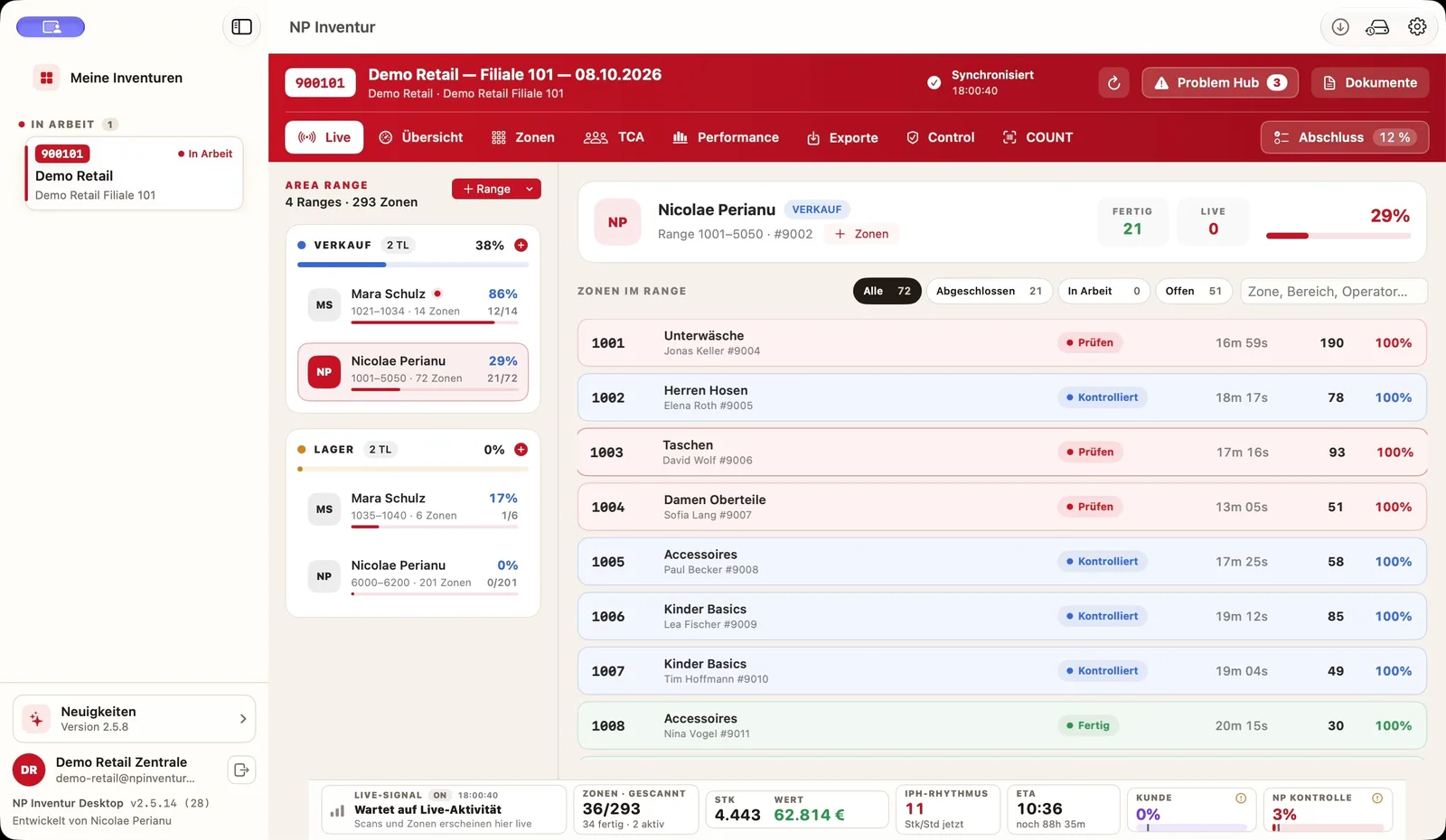
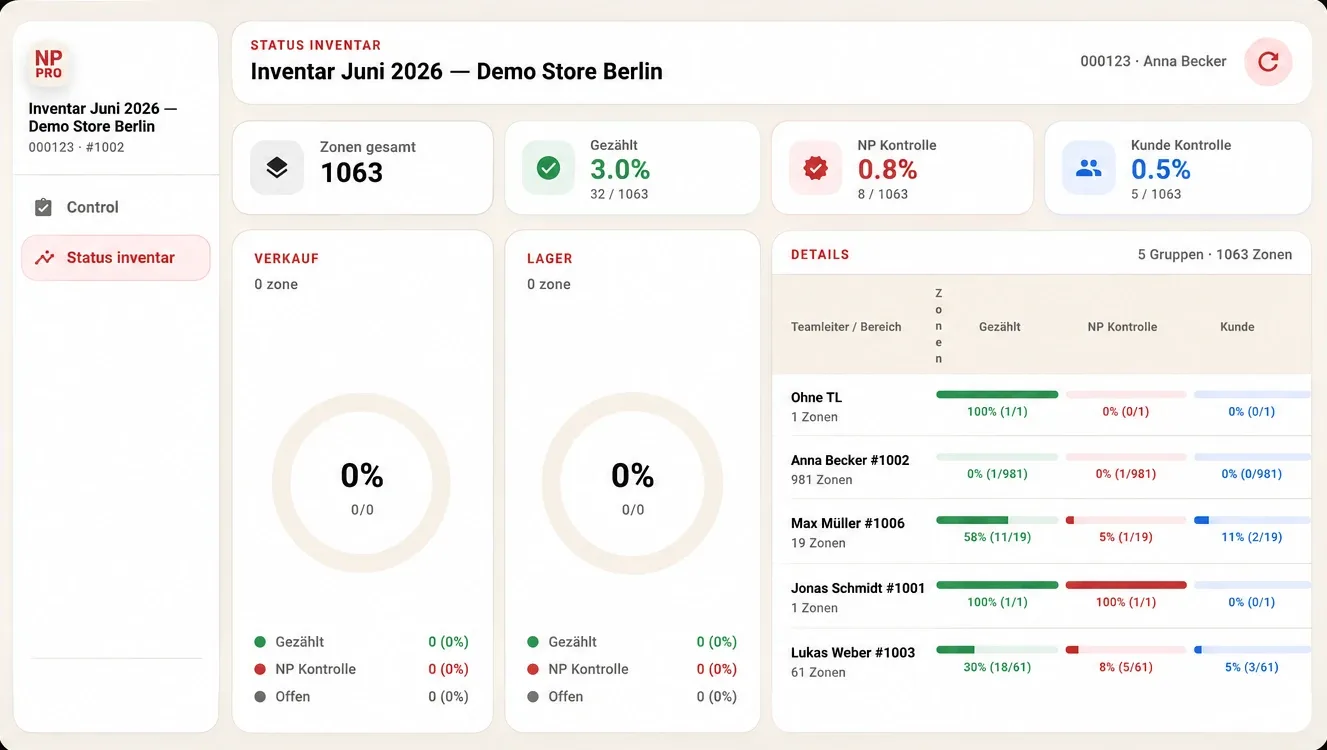
NP Inventur – Inventurstatus mit Kennzahlen, Verkauf, Lager und Teamleitern ProgressCountedZones doneControl
Offline-capable Android scanners Separate internal and client checks PDF · Excel · CSV · TXT Portal in DE · EN · RO
01Who it's for

Built for companies that carry out stocktakes.

NP Inventur is a software provider. You run the stocktake with your teams – we provide the system for it. To buy or to rent.

For stocktaking service providers

Your business. One system.

Your teams count with offline-capable scanners, your team leads run their areas with NP PRO, your clients check in the client portal – and receive reports for review.

Demo for service providers→
For retailers with their own team

Leave legacy software behind.

You count yourselves, but with old programs, lists and phone calls? NP Inventur brings zones, team, checks and exports into one continuous workflow.

See the switch→
For partners

Grow together.

You work in the inventory industry and want to use NP Inventur in your projects? Let's discuss scope and model.

Discuss partnership→
Buy or rent

The right model.

Whether you want to buy or rent NP Inventur: we tailor the offer to your number of stores, teams and stocktakes.
Request a quote→
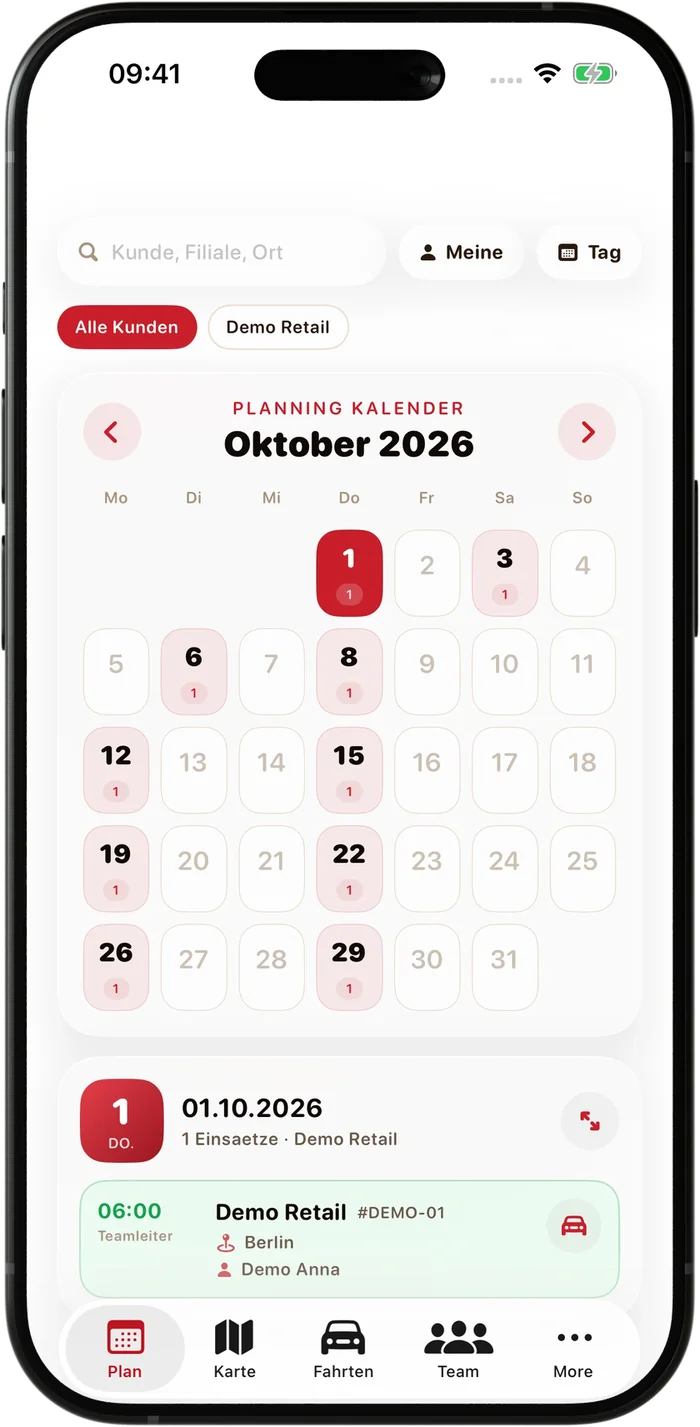
07:30
01 · Plan · NP Inventur Admin

The assignment is set.

A weekly plan with store, start time and team. Understaffing and double bookings stand out at once – free staff are added with one click.

02 · Team · NP Planning Beta

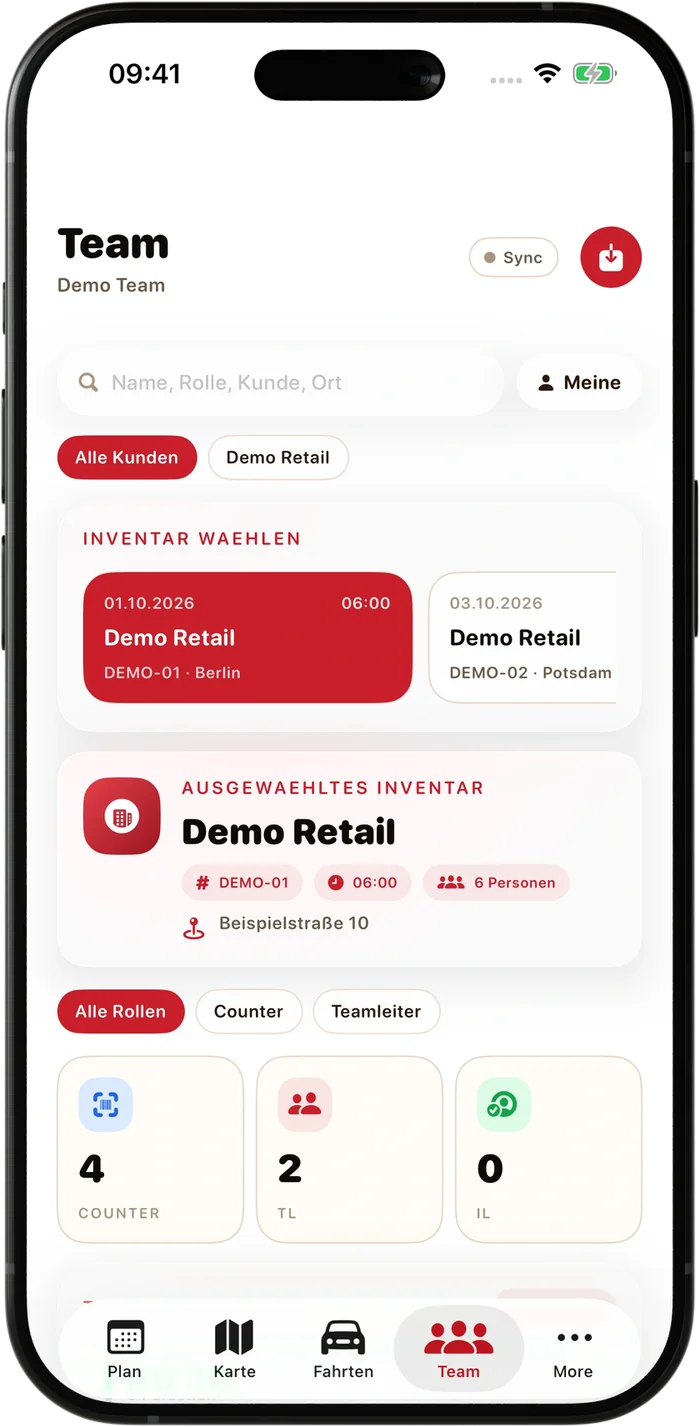
Every role is filled before the first scan.

Counters and team leads are assigned to the inventory – with location, start time and team size.

03 · Count · Inventory status

One status – for your team and your client.

  • 1Total zones, counted, NP and client checks as key figures
  • 2Sales floor and stockroom reported separately
  • 3Progress per team lead and group
04 · Check · Control tablet

Internal check and client check. Kept separate.

  • 1Counted and closed
  • 2Internal check (NP) by your team – with its own targets per area
  • 3Client check by your customer – steps linked to the responsible person
05 · Lead · NP PRO

Your team leads run their areas.

  • 1The same key figures as inventory management
  • 2Counted, internal check and client per team lead and area
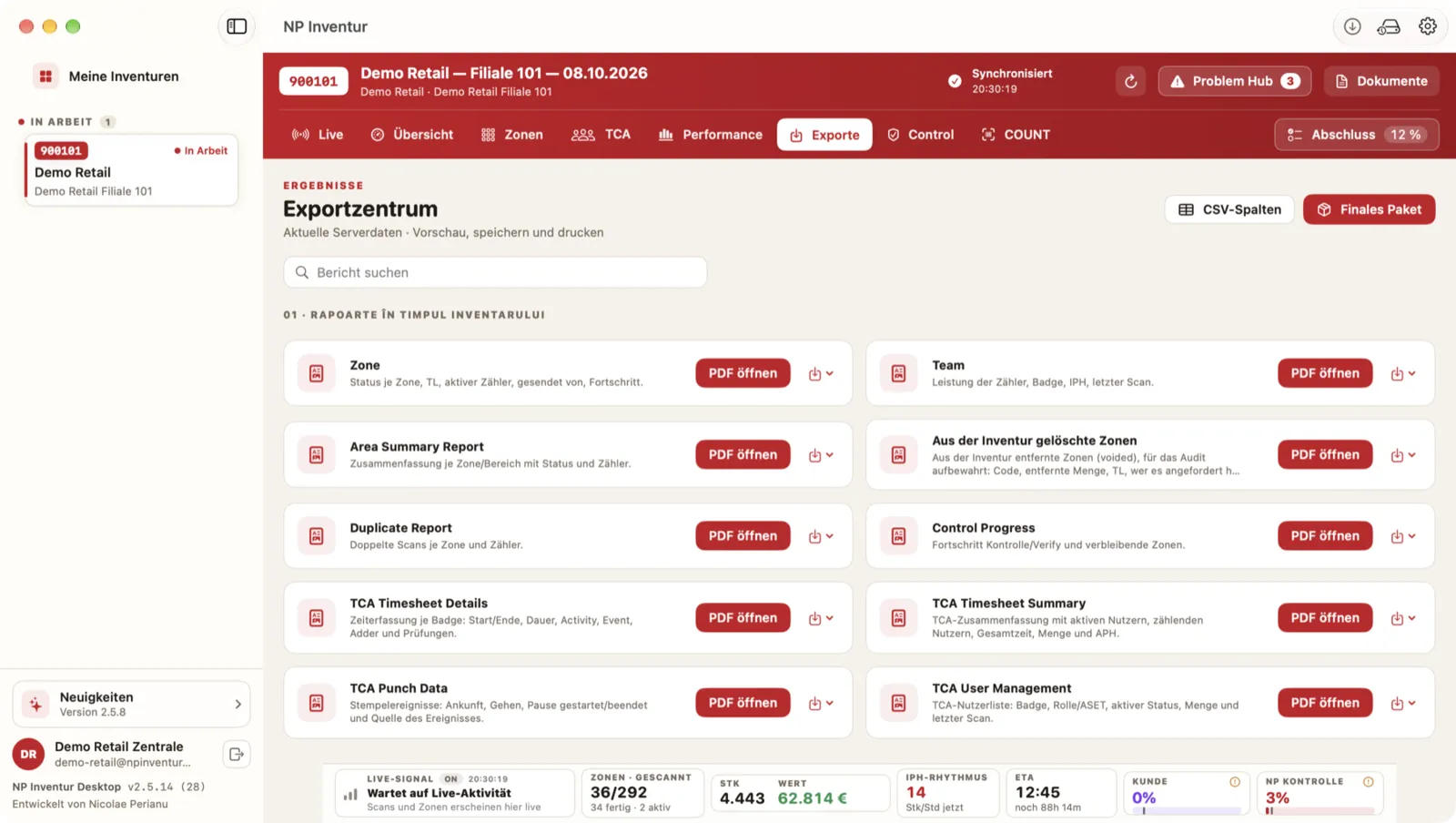
06 · Close · Exports

The handover to your client.

  • 1Reports by step: during the count, control, closing
  • 2PDF, Excel, CSV, TXT – with preview before download
07 · Wrap-up · NP Planning Beta

The next assignment is already set.

In the app calendar everyone sees their assignments – with store, start time and the whole team of the day.

npinventur.com / exporte
NP PRO – Inventurstatus für Teamleiter NP Inventur für Mac – Exporte
02Switching

From lists and legacy software to one continuous system.

Many stocktakes still run on separate programs, Excel lists and phone calls. That costs time on the day – and trust with your clients.

Typical workflow without a continuous systemNP Inventur
ProgressAsking by phone or radioLive per area and team lead, with a forecast for the finish
No signal in the stockroomInterruption or recountingScans stored on the device, synced automatically
ChecksPaper, Excel, verbal approvalsInternal and client checks separately in the system, traceable
ClientWaits for the report at the endSees the status and checks in the client portal
Team & hoursSeparate timesheetsCOUNT & TCA: quantities, working and break times per person
ClosingCompiling reports by handPDF, Excel, CSV, TXT – with preview before download
03Technology on the floor

No signal in the stockroom. No scan lost.

Every scan is stored on the device first and only released once the server confirms it. If the signal drops, counting continues and syncs automatically.

1
Scan the badgeStaff sign in with their badge – role and work area are applied automatically.
2
Scan the zoneThe zone is opened with a scan – with the store's progress right on the device.
3
Capture itemsEvery line with EAN, price and quantity – units and pace per hour update live.
Online Stored on device: 0 scans

Scan captured

Android scanner, e.g. Zebra – counting per zone.

Stored on the device

Counting continues locally, even without a connection.

Sent automatically

As soon as the signal returns, without any action by the counter.

Confirmed by the server

Unique ID per scan – scans sent twice are counted only once.

Traceable: every item down to its captured scan position – with quantity, device and difference.
04Capabilities

What NP Inventur delivers in the field.

Which checks and exports are active depends on the configured inventory workflow. We set it up with you based on your use case.

Counting
Android scanners (e.g. Zebra), counting per zone, offline-capable with automatic sync.
Offline-firstBarcode
Live status
Progress per area and team lead, pace in units per hour and a forecast for the finish.
Real timeFloor & stockroom
Checks
Internal check (NP) and client check run separately, with their own targets per area. Compare expected and counted quantities, approve zones.
Internal checkClient check
Traceability
Trace items to the scan position. Control and correction steps in the portal are linked to the responsible person.
CorrectionsDifferences
Team & hours
COUNT and TCA link count results to your team: quantities, working and break times per person.
COUNTTCA
Exports
Items, zones, differences and team data – with preview before download.
PDFExcelCSVTXT
Portal & devices
Native Windows and macOS applications for inventory managers, Android scanners for counting, and the browser-based client portal for your clients.
BrowserNP PRO
Languages
The portal speaks German, English and Romanian – everyone picks their own language.
DEENRO
Licensing
Buy or rent – tailored to your number of stores, teams and stocktakes.

BuyRent
Scheduling
NP Planning Beta: assignments, team and working hours on the smartphone. Availability on request.
iOSAndroidBeta
05Original views

A look at your working day.

The screens come from the software itself and show a demo inventory with fictional data.

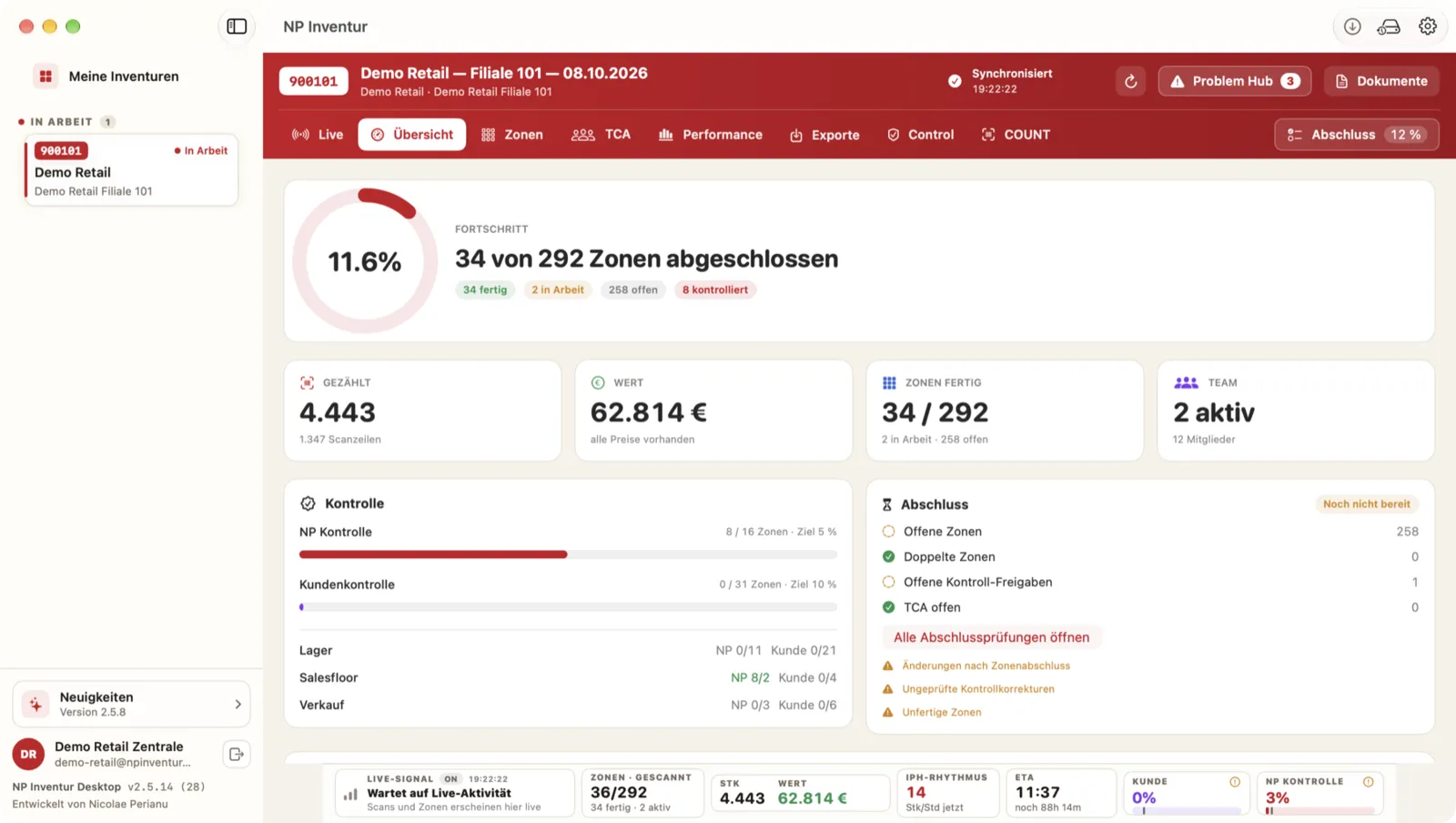
The whole floor.

Active and completed zones in one live overview.

NP Planning Beta auf dem iPhone – Kalender

Your next assignment.

Dates and stores in NP Planning Beta.

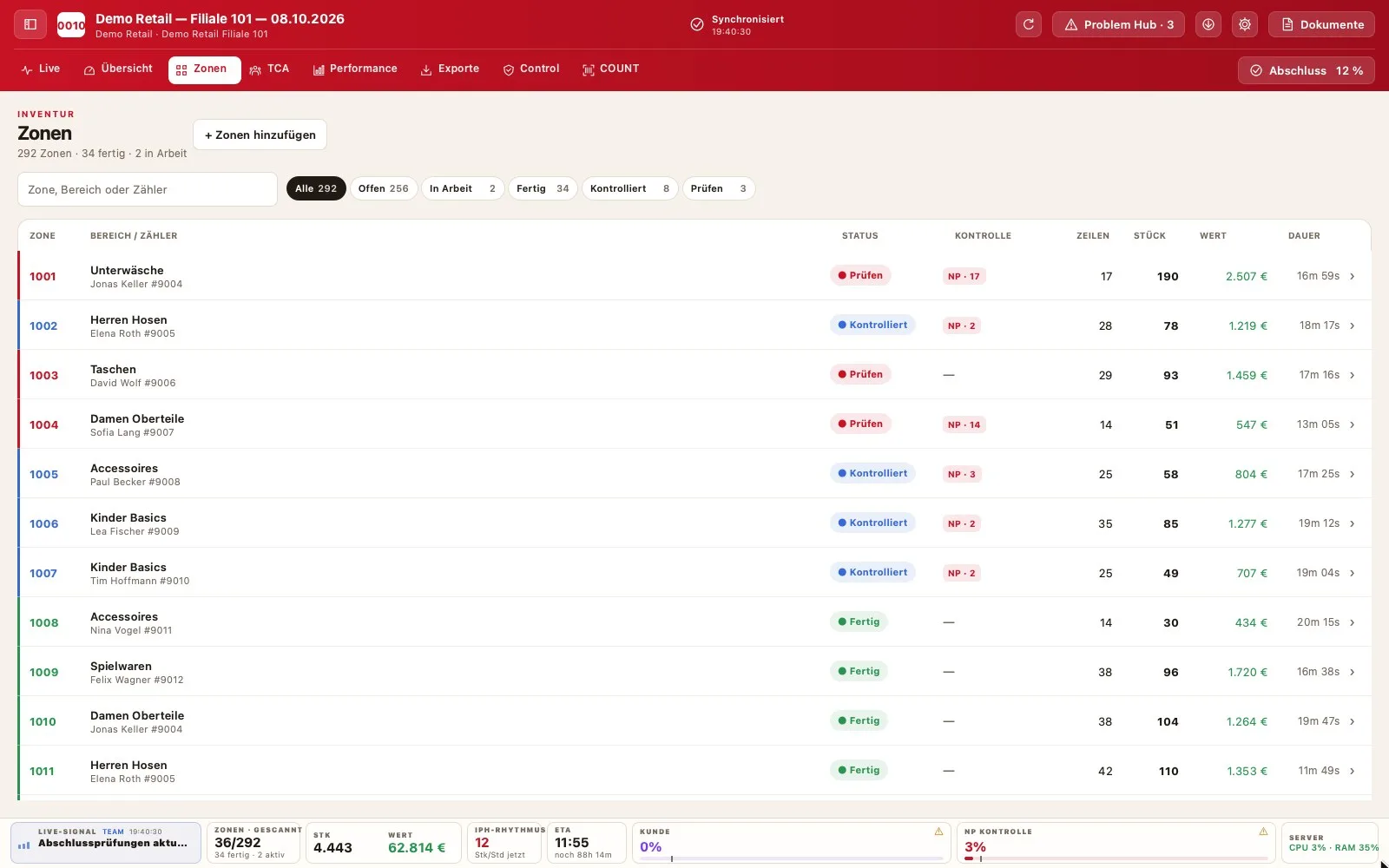
Every zone on record.

Team lead, counter, progress and status per zone.

Every item counts.

Review and correct captured items and quantities.

NP Planning Beta auf dem iPhone – Team

The team on assignment.

Roles and assignments on the smartphone.

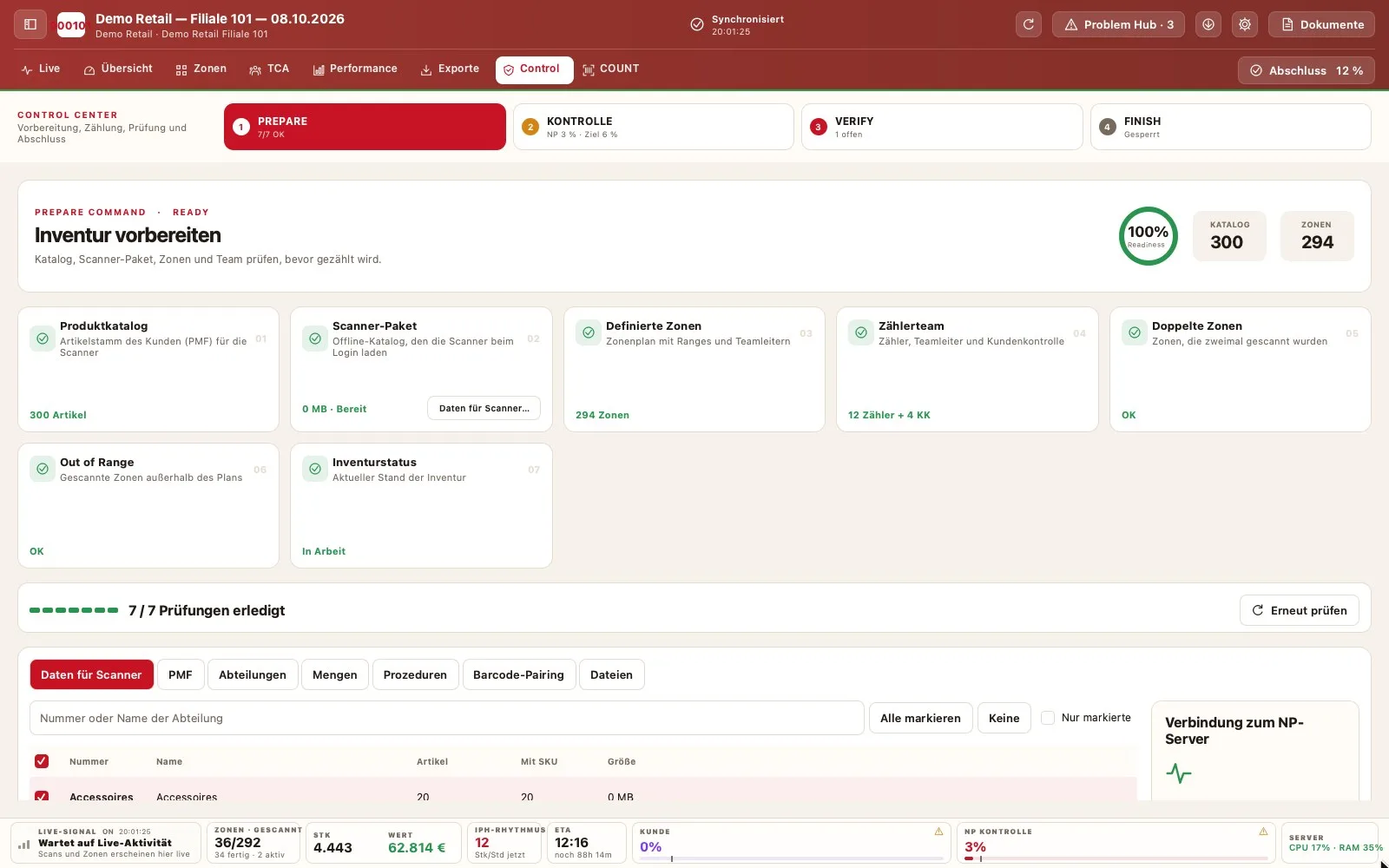
Before the first scan.

Prepare and check catalog, zones and counting team.

Ready for handover.

Reports and export formats for the next step.

Original views · fictional demo data
06Privacy & security

Clear responsibilities. Controlled access.

Counting, management and client reviews serve different roles. NP Inventur connects them through assigned access and traceable review steps.

Assigned access

The software checks access to each inventory. Your team, your team leads and your clients see what belongs to their task.

Traceable checks

Control and correction steps in the portal are linked to the responsible person.

Demo with fictional data

Public views and videos use a test inventory – with no access to client inventories.

No trackers

This website uses no analytics or advertising trackers. GDPR rights directly via our privacy contact.

07FAQ

What clients want to know first.

Does NP Inventur carry out stocktakes itself?

No. NP Inventur is a software provider. You run the stocktake with your own teams – as a stocktaking service provider for your clients or as a retailer in your own stores.

Can I buy or rent NP Inventur?

Both are possible. We tailor the model to your number of stores, teams and stocktakes – contact us for a quote.

What is the difference between NP check and client check?

The NP check is the internal check by your own team. The client check is carried out by your customer in the client portal. Both run separately, with their own targets per area.

What happens if a scanner has no signal?

Counting continues. Scans are stored on the device and transmitted automatically as soon as a connection is available again. Every scan carries a unique ID – scans sent twice are recognised by the server and counted only once.

How does a stocktake work?

Preparation (catalog, zones, team), counting per zone, checks and closing with reports. Which checks and exports are active depends on the configured inventory workflow.

Which devices are supported?

Counting runs on Android scanners (for example, Zebra). Native Windows and macOS applications support inventory managers with zones, live progress, checks and closing. The client portal runs in the browser.

Are the views shown real?

Yes. The screens come from the software itself and show a demo inventory with fictional data. The interactive demo runs entirely in the browser and is not connected to any real inventory.

Which languages is NP Inventur available in?

The portal is available in German, English and Romanian. This website is available in German and English.

08Contact

Let's talk about your stocktakes.

Inventory service provider, partner or retailer with your own team? Tell us which software you count with today and what you'd like to improve.

  1. You describe your project.
  2. We review your requirements.
  3. We get back to you personally.

We use your details solely to process this enquiry. Please do not send passwords, customer data or inventory files. Privacy notice