Zones, ranges and team leaders
Areas such as sales floor and stockroom, area ranges per team leader, zones created in advance or during the stocktake.
One system for all your clients: open an inventory by event ID, manage teams and zones, count live, check internally and with the client, and close with the configured client reports. NP Inventur is the software – your teams do the counting.
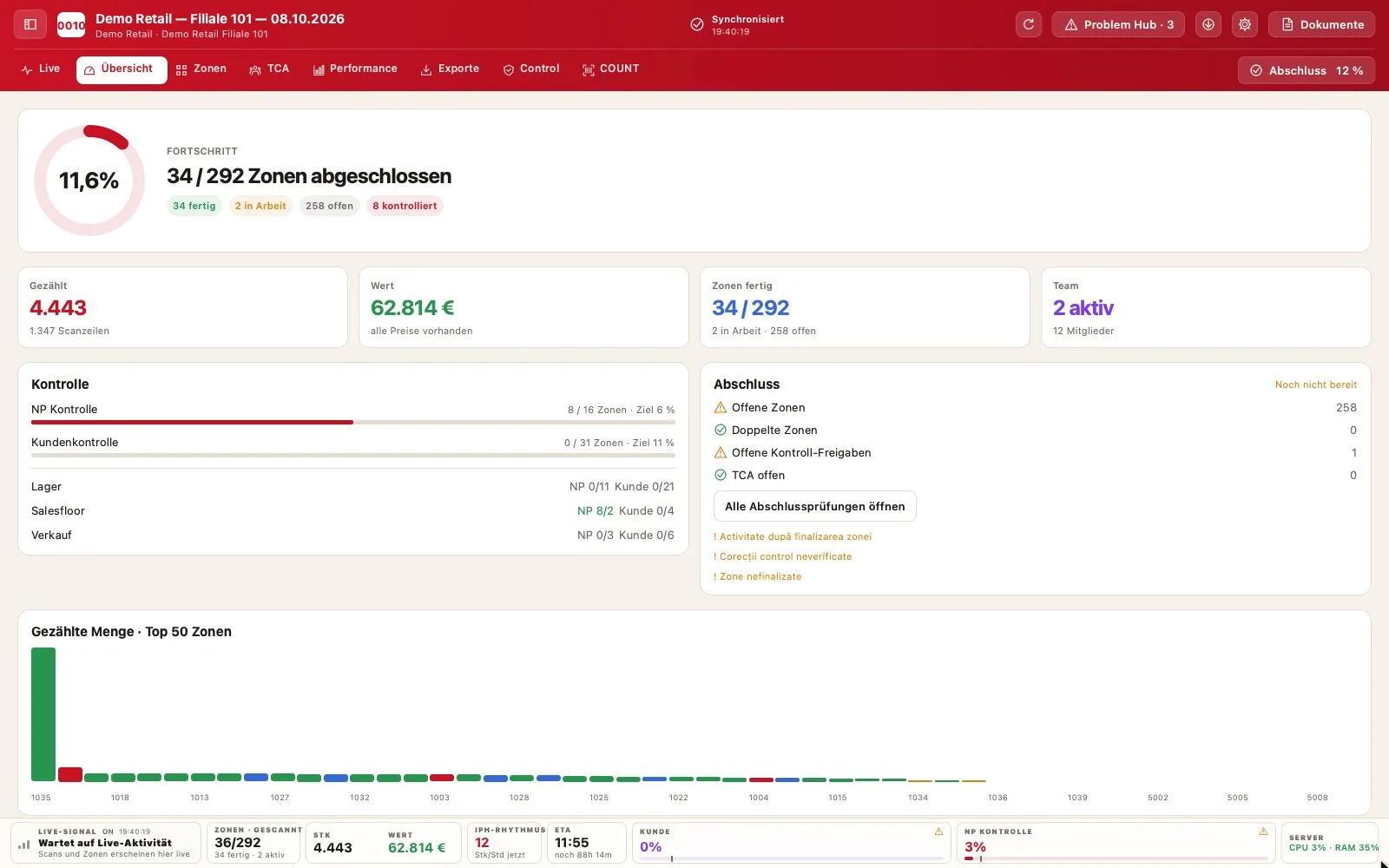
Stocktaking service providers work for different clients every week, with different item catalogues, export formats and control requirements. NP Inventur is built for that: every inventory has its own event ID, catalogue, zones and closing package.
Your inventory lead runs everything from one program for Mac or Windows, your counters use Android scanners or mobile computers (e.g. Zebra), and your client follows progress in the client portal – in German, English or Romanian.
Areas such as sales floor and stockroom, area ranges per team leader, zones created in advance or during the stocktake.
Which zone is running, which is done, how much has been counted: in real time, per zone, range and team leader.
Your internal check and your client’s check – each with its own target and traceable corrections.
Everything that blocks the closing in one place: unfinished zones, zones without a team leader, duplicates, open checks.
Counting modules and working times per badge: start, end, breaks, travel – the basis for billing and planning.
Select the available reports per client: PDF, Excel, CSV, TXT and supported client import formats.
No. NP Inventur is software. Stocktakes are carried out by service providers or retailers with their own teams.
Yes. Every inventory has its own catalogue and closing package. In the admin you select the available reports and export formats per client. Required client formats are agreed before use.
The NP check is your internal check. The client check is the check by your client. Both have their own targets and are reported separately.
Yes, in the client portal in the browser – in German, English or Romanian.
macOS (Apple silicon and Intel) and Windows 10/11. Counting is done with Android scanners or mobile computers (e.g. Zebra); NP PRO is adapted to your device.
Both are possible. The offer depends on your use and is prepared on request.